Surfer SEO Review: What It Does Well, Where It Falls Short and Who Should Pay for It
Surfer is one of the best tools for writing and optimizing articles. Content Score is only weakly linked to rankings, and full AI tracking needs the Pro plan.

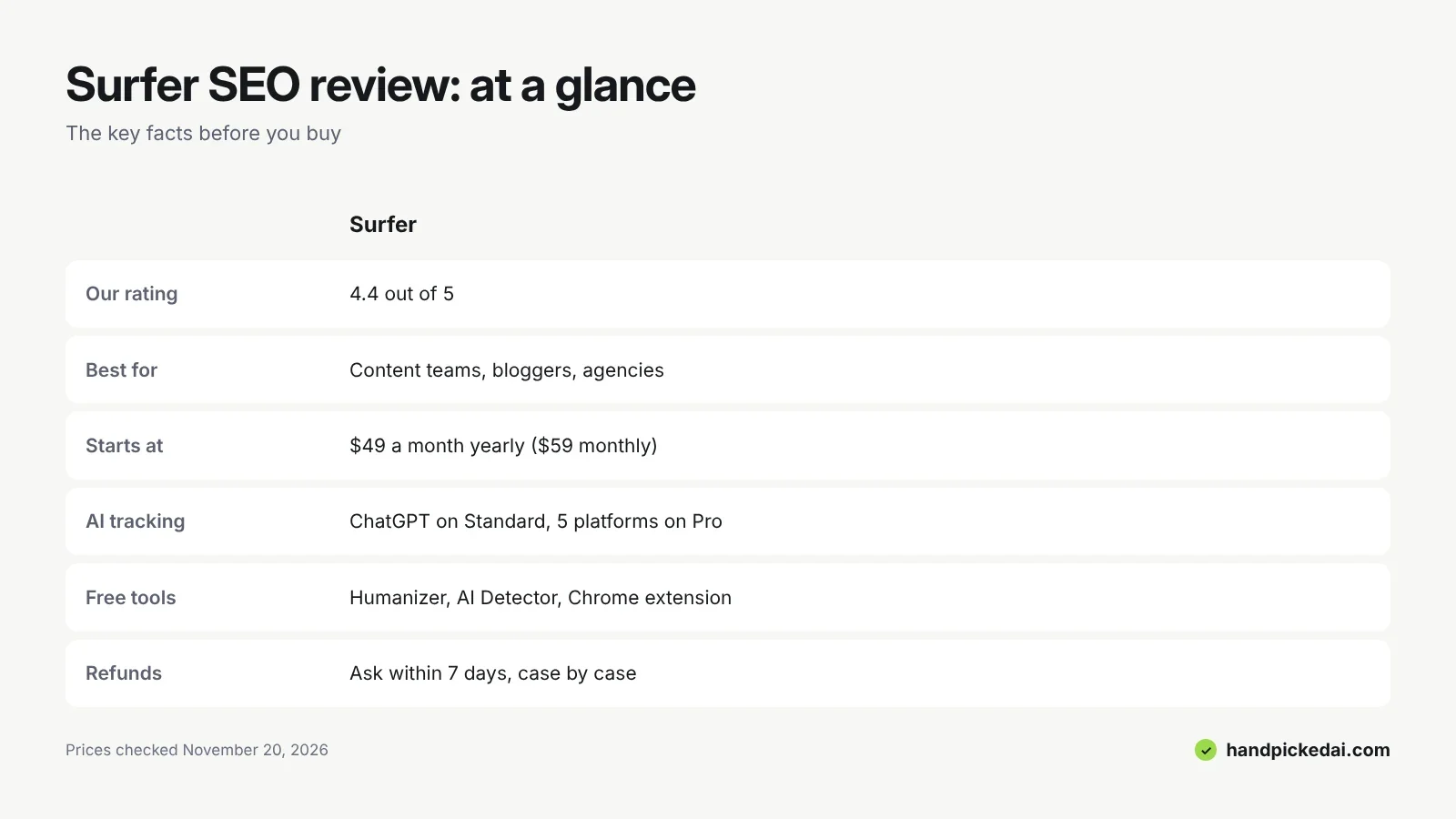
Our rating
4.4 out of 5. Worth it if you publish several articles a month and want a checklist for each one.
Short answer: Surfer is one of the best tools for writing and optimizing articles. Its Content Editor shows you, while you write, which topics, terms and headings the top pages cover and you don't. In 2026 it also tracks how often your brand shows up in ChatGPT, Gemini, Perplexity and Google's AI answers.
It isn't magic. Studies show only a weak link between Surfer's Content Score and rankings, its AI drafts need fact checks, and the full AI tracking needs the $182-a-month Pro plan. If you publish several articles a month and want a clear checklist for each one, it's worth it. If you write one post a month, a cheaper tool or Surfer's free tools will do.
Pros and cons
Pros
- Content Editor gives clear, real-time guidance while you write
- Works inside Google Docs and WordPress
- Content Audit and Topical Map turn Search Console data into a to-do list
- AI Tracker covers 5 AI platforms on Pro
- Connects to Claude, ChatGPT and Cursor through MCP on Pro and higher
- Very high user ratings: 4.8 on G2 and 4.9 on Capterra
Cons
- Content Score has only a weak link to rankings in every study so far
- Document limits are tight on the cheaper plans
- AI-written drafts can include wrong facts and stats
- Full AI tracking needs Pro ($182 a month yearly)
- Weak support for languages other than English, according to users
- Some Trustpilot users report being charged after cancelling
Who Surfer is for (and who it isn't)
Good fit: content teams, agencies and bloggers who publish several articles a month, want a repeatable process for every article, and care about showing up in AI answers as well as Google.
Not a good fit: people who need keyword research, backlinks and technical audits in one tool (Surfer is a content tool, not a full SEO suite), sites that publish rarely, and teams writing mostly in languages other than English.
If you need the full SEO suite, see our Semrush review or the best AI tools for SEO.
How we reviewed Surfer
We didn't run our own hands-on test for this review. We went through Surfer's official pricing, feature and help pages, read the studies that tested whether Content Score predicts rankings, looked at hands-on test results from other reviewers, and summarized user reviews on G2, Capterra and Trustpilot. Every claim links to its source, and we flag studies that come from companies that sell competing tools.
What's new at Surfer in 2026
Many Surfer reviews you'll find are out of date, so here's what changed:
- New owner: Positive Group, a French company, bought Surfer in October 2025. At the time Surfer had about 12,000 customers and 150,000+ active users (Positive Group).
- New domain: surferseo.com now redirects to surfer.ai.
- New plans: the old Essential and Scale plans are gone. Plans are now Discovery, Standard, Pro, Peace of Mind and AI Search Analytics (Surfer). Reviews that list "Essential at $99" are showing old prices.
- More AI search: Content Score now checks if your content is on track to get cited by AI as well as rank on Google, and AI Tracker covers 5 AI platforms.
Content Editor and Content Score
This is Surfer's core feature, and the one users praise most. You enter a keyword, and Surfer builds guidelines from Google's top 10 results and the pages most cited in AI answers. As you write, a Content Score from 0 to 100 updates live, based on more than 500 signals like keywords, entities, topic coverage and links (Surfer).

Image: Surfer official website
The editor also includes an Outline Builder, a list of topics you've missed, a plagiarism checker and Auto-Optimize, which suggests changes based on competing pages once your draft reaches half the suggested length. Blogger Anil Agarwal reported that Auto-Optimize raised one article's score from 71 to 85 in about 5 minutes (BloggersPassion).
You can use it inside Google Docs through the free Chrome extension, or inside WordPress with the free plugin. Brian Dean of Backlinko, who has reviewed Surfer since 2020, put it simply: "Surfer's Content Editor is AWESOME. Easily their best feature" (Backlinko).
Does a high Content Score help you rank?
A little, and only as a first step. This is the most important question about Surfer, and the honest answer is mixed.
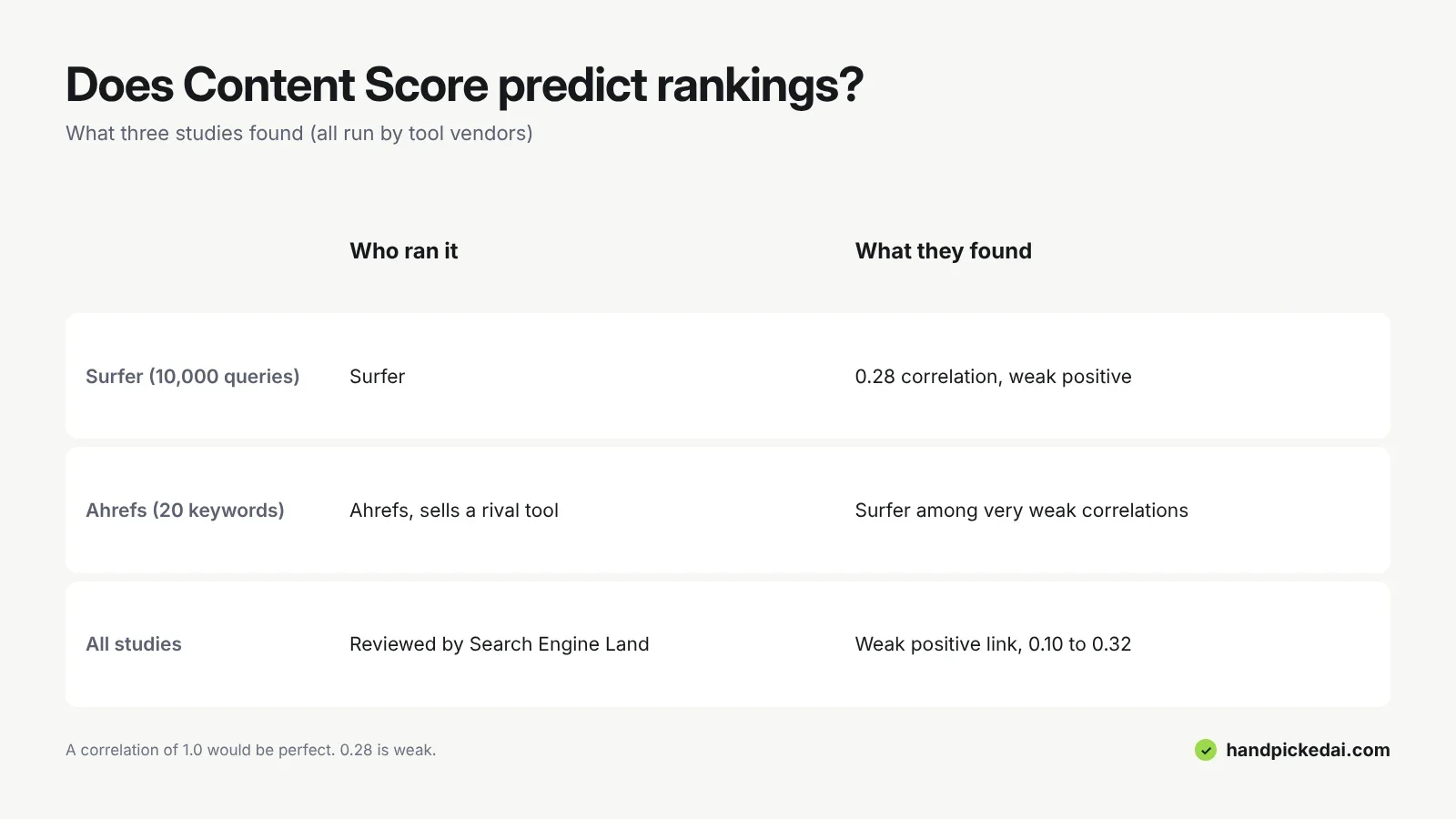
- Surfer's own study of 10,000 queries found a correlation of 0.28 between Content Score and rankings. Surfer recommends aiming for a score of 70 to 85 (Surfer). This is Surfer's own research.
- Ahrefs' study of 20 keywords and 5 tools found Surfer among the tools with "very weak correlations" (Ahrefs). Ahrefs sells a competing tool.
- Search Engine Land reviewed all three studies (Surfer, Ahrefs and Originality.ai) and found they all show a weak positive link, between 0.10 and 0.32. It noted that every study was run by a vendor, and each vendor's own tool did best (Search Engine Land).
What this means for you: Content Score helps make sure your article covers what the top pages cover, which gets you in the running. It won't beat stronger sites, better links or more original content. Use it as a checklist, not a ranking guarantee, and don't stuff keywords to push the score to 100.
Writing with AI and the Humanizer
Surfer can draft outlines and articles with AI, and Surfy, its AI SEO assistant, is included on every plan. Users like the speed but warn about accuracy. One CMO wrote on Capterra: "I consistently found myself double-checking the statistics and references provided by the AI" (Capterra).
Surfer also offers a free AI Humanizer (500 words logged out, 1,000 when signed in) and a free AI Detector (Surfer). Surfer claims the Humanizer can help text pass AI detectors. In one test by Originality.ai, humanized text dropped from 98% to 39.8% AI on ZeroGPT, but still scored 100% AI on Originality.ai's own detector (Originality.ai). Originality.ai sells a detector, so read that with care, but don't count on any humanizer to fool every detector.
AI Tracker: AI search visibility
AI Tracker shows how often your brand is mentioned in AI answers, where it appears, which sources AI cites and what people's prompts look like. It reports mention rate, visibility score, average position, share of voice and sentiment, plus a Mention Gap report that shows prompts where competitors appear and you don't (Surfer).
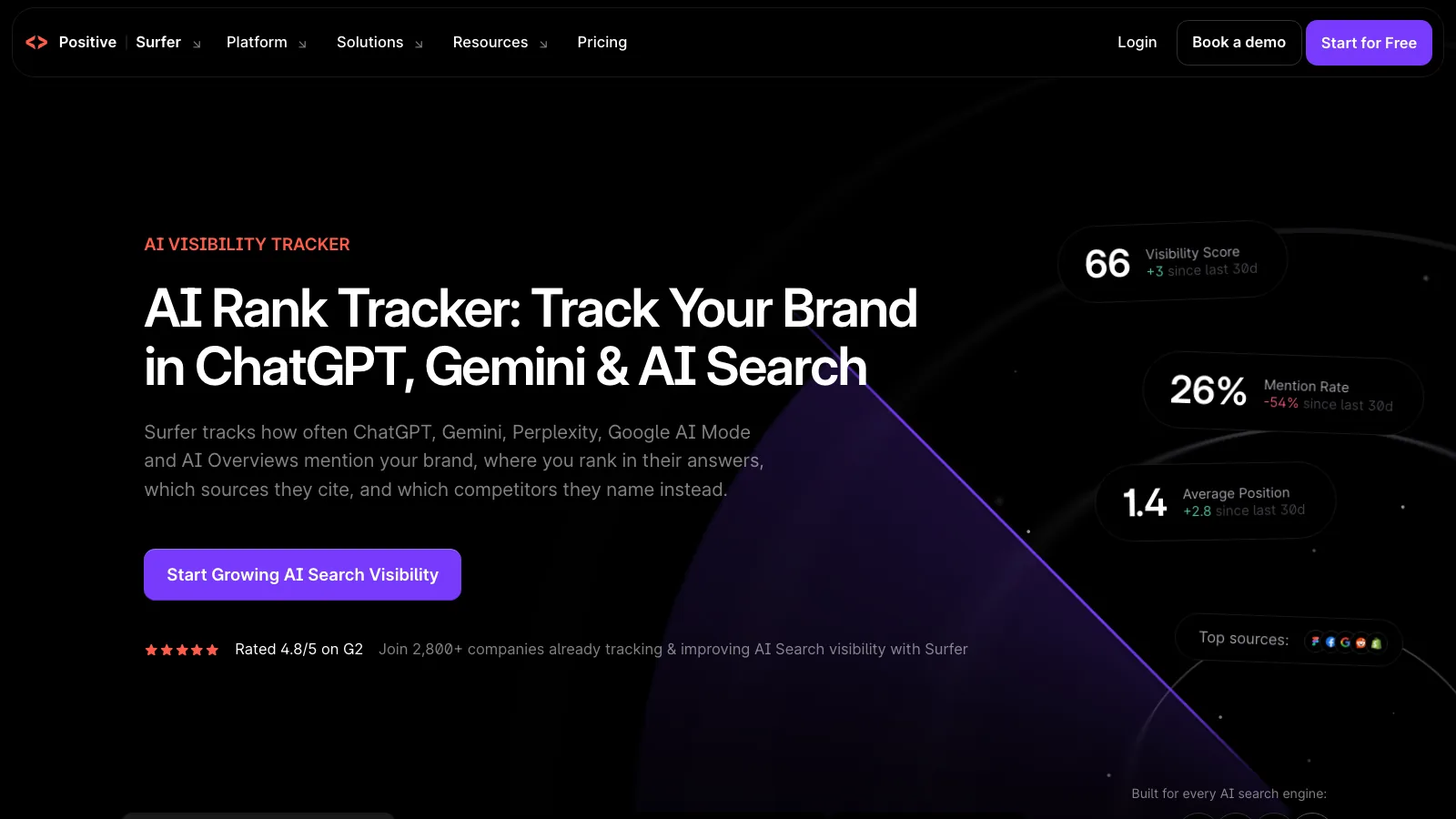
Image: Surfer official website
What you get depends on the plan:
- Standard: ChatGPT only, 25 prompts, updated weekly
- Pro: ChatGPT, Perplexity, Gemini, Google AI Mode and AI Overviews, 50 prompts, updated daily
- AI Search Analytics: the tracker on its own, 5 platforms and 50 prompts, $82 a month billed yearly
For tools built only for this job, see our list of the best AEO and GEO tools.
Content Audit and Topical Map
Content Audit connects to Google Search Console and shows the position, clicks, CTR and Content Score of each page you already have, with alerts when rankings drop and weekly emails (Surfer). It's the quickest way to find older articles worth updating.
Topical Map groups keyword ideas into clusters to help you build topical authority, links to your Search Console data and refreshes every 14 days (Surfer). In one test, it gave 447 article ideas for a single site (BloggersPassion).
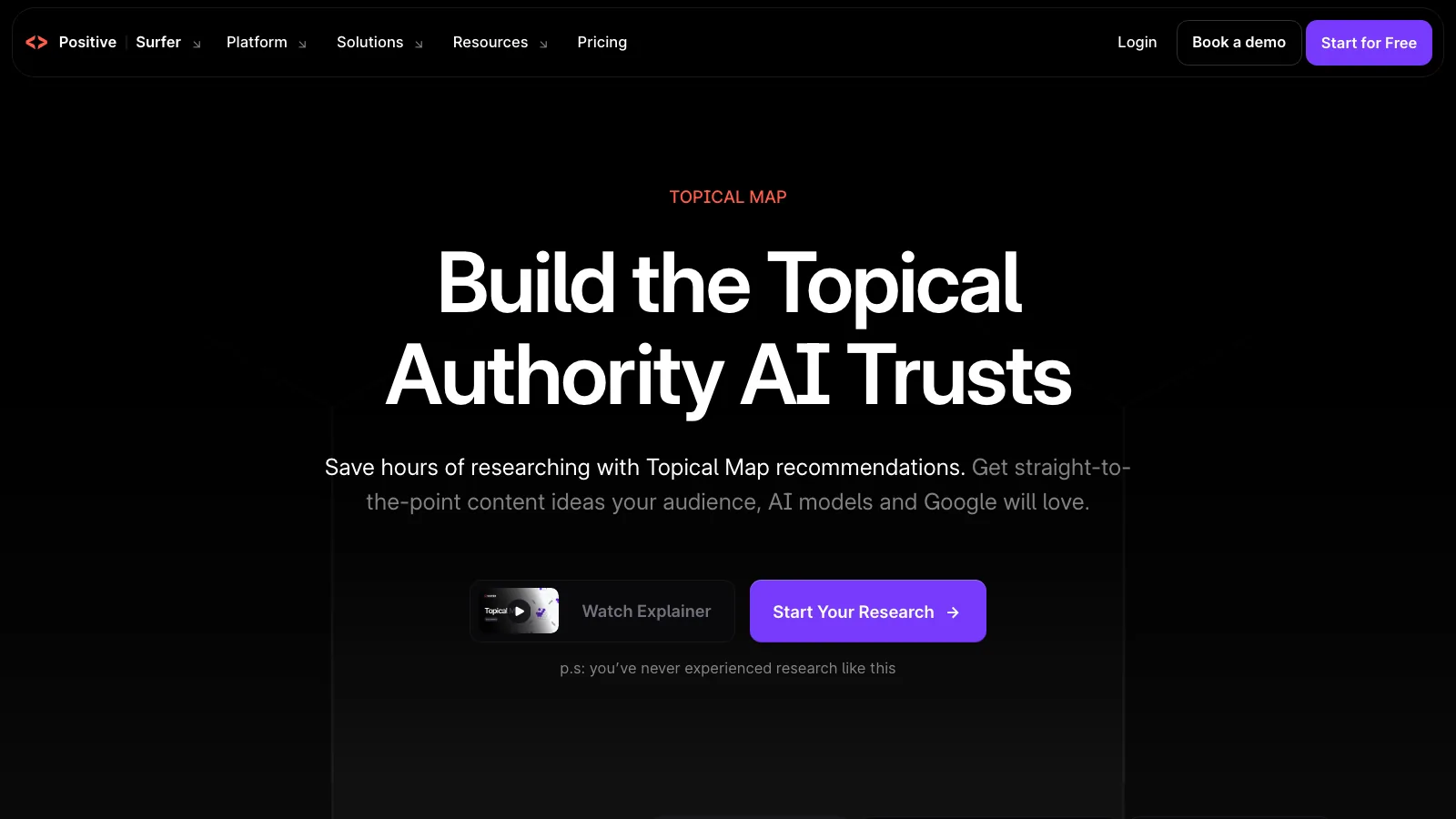
Image: Surfer official website
One limit users mention: "Planning with the topical map does not work in many languages" (Capterra).
MCP, integrations and API
Surfer's MCP brings AI Tracker, recommendations and the Content Editor into Claude, ChatGPT, Codex and Cursor, so you can ask about your content from inside your AI assistant. It's included on AI Search Analytics, Pro, Peace of Mind and Enterprise (Surfer). Other integrations include Google Docs, WordPress and Contentful, plus Zapier and the API on Peace of Mind (Surfer).
Ease of use
Surfer is one of the easier SEO tools to learn. Capterra users give it 4.8 out of 5 for ease of use (Capterra). One Product Hunt reviewer said it's "really easy to understand, especially for those who don't fully understand SEO" (Product Hunt).
The learning curve is in the extra features. TechRadar lists a steep learning curve and limited credits on lower plans among its cons (TechRadar), and G2 users say it takes about a month to fully set up (G2).
Pricing
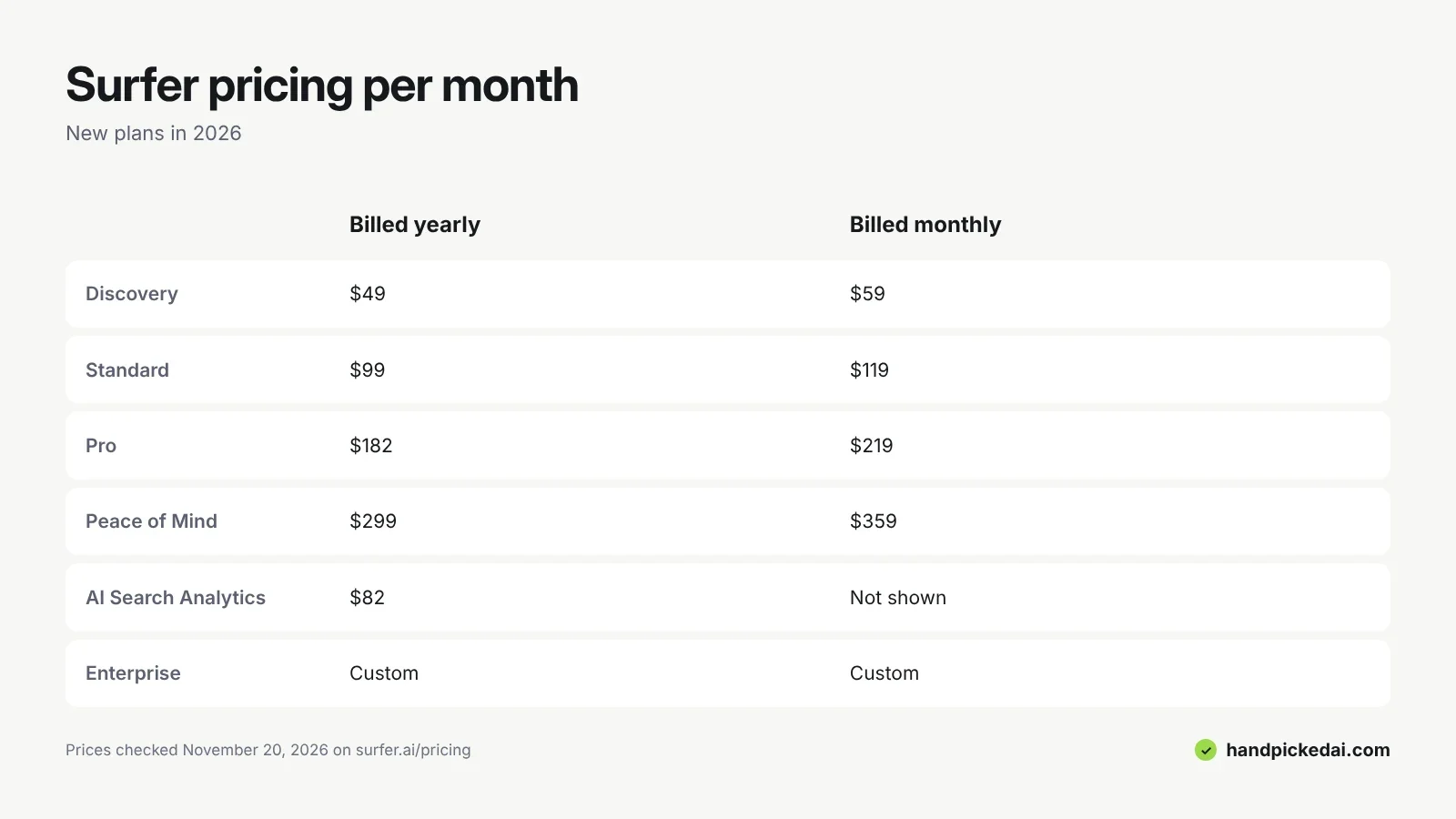
| Plan | Billed yearly | Billed monthly | What you get |
|---|---|---|---|
| Discovery | $49 a month | $59 | 120 documents a year, 1 seat, no AI tracking |
| Standard | $99 a month | $119 | 360 documents a year, AI tracking on ChatGPT, 3 seats, WordPress and Google Docs |
| Pro | $182 a month | $219 | AI tracking on 5 platforms, internal linking, MCP, 5 seats |
| Peace of Mind | $299 a month | $359 | Unlimited documents (fair use), API, Zapier, 10 seats |
| AI Search Analytics | $82 a month | Not shown | AI tracking only, 5 platforms, MCP |
| Enterprise | Custom | Custom | SSO, white label, priority support |
Yearly billing saves up to 17%. Credits reset each year or when you change plans. Monthly prices are confirmed by TechRadar. See pricing
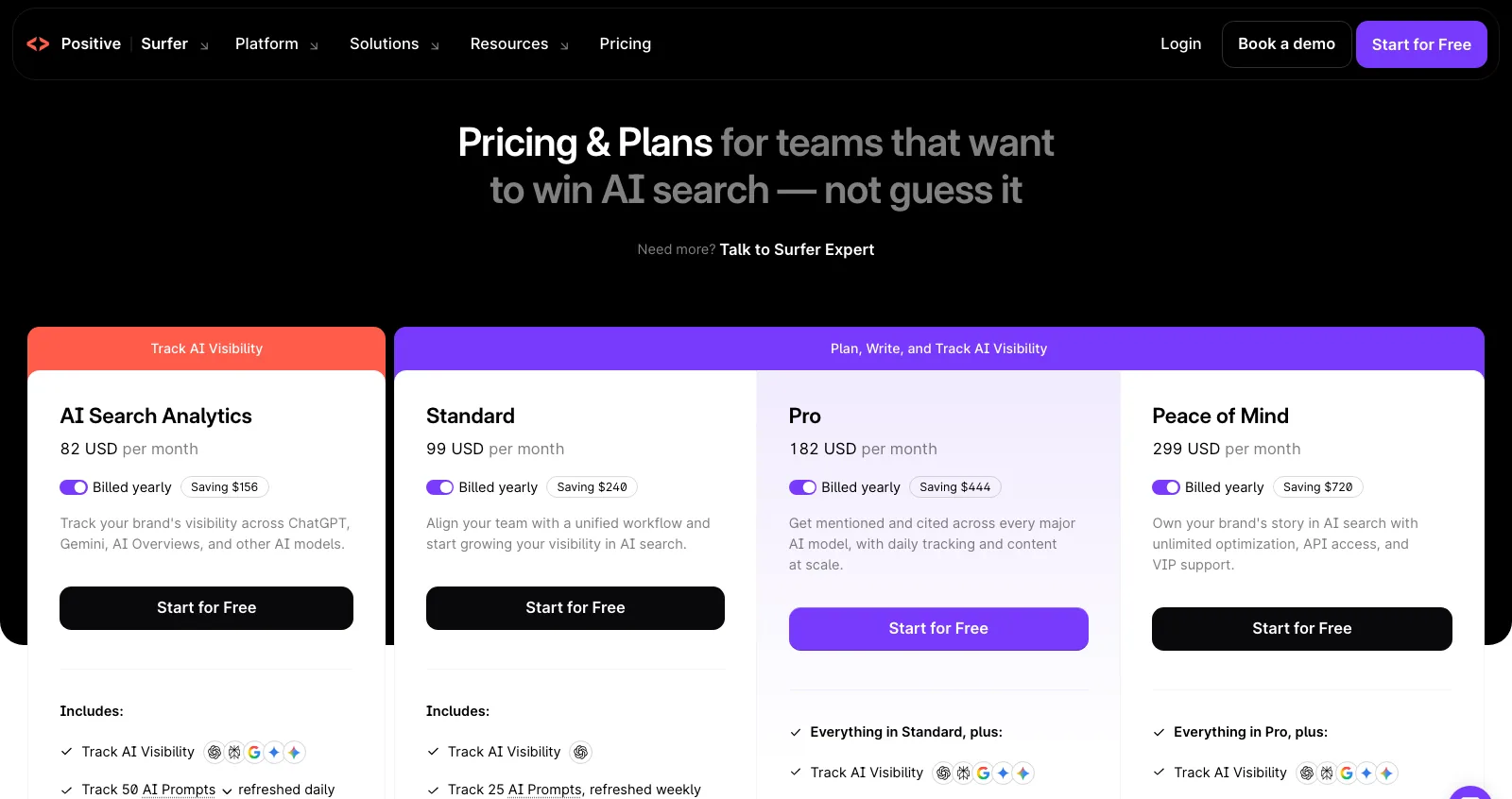
Image: Surfer official website
Billing and refunds: there's no free trial on paid plans. First-time subscribers can ask for a refund within 7 days, and Surfer reviews each request case by case (Surfer help). Plans renew automatically, and cancelling doesn't refund the current period. Set a reminder before renewal.
What users say
| Platform | Rating |
|---|---|
| G2 | 4.8 out of 5 (548 reviews) |
| Capterra | 4.9 out of 5 (422 reviews) |
| Trustpilot | 4.2 out of 5 (222 reviews) |
Surfer has some of the best ratings of any SEO tool. Users praise the live score, Topical Maps, the Google Docs and WordPress integrations and the support team. The most common complaints are credit limits, price, weak support for other languages and AI accuracy (Capterra). On Trustpilot, most negative reviews are about billing (Trustpilot).
What users like:
- "I love how it provides real-time feedback with the SEO score meter as I write." Eddie L., SEO Specialist, on Capterra, June 2026
- "I fell in love with the Topical Maps, which helps me determine what is most valuable for the website." Ivelin K., SEO and Marketing Specialist, on Capterra
- "I've been using it for several years now to radically improve my internal linking." Lonnie Ayers, on Trustpilot, December 2025
What users don't like:
- "I would love to be able to buy credits to get more content editors without having to upgrade." Caro M., Content Specialist, on Capterra, October 2025
- "We cancelled our account and our accounts were charged anyway." Wolf.Stadt, on Trustpilot, September 2026
- "Despite this, Surfer SEO has refused to refund the unused AI credits." John Dyer, on Trustpilot, May 2026
What expert reviewers say:
- "If you're searching for a comprehensive SEO optimization tool, SurferSEO is a reassuring choice." Bryan M. Wolfe, TechRadar, February 2026
- "I prefer Clearscope. But it's close." Brian Dean, Backlinko, November 2026
Video: Surfer walkthrough
Want to see Surfer in action before you sign up? This full 2026 walkthrough covers the Content Editor, AI Tracker and the rest of the tool. It's made by Surfer's own team, so treat it as a product tour, not an independent review.
Surfer alternatives
- Clearscope: the closest rival, known for clean content reports. Essentials is $129 a month (Clearscope).
- Frase: better for research and content briefs, and cheaper. Starter is $39 a month billed yearly (Frase).
- NeuronWriter: the budget pick, and it did well in Ahrefs' content score study. It has the lowest starting price of the three (NeuronWriter).
For more options, see our list of the best AI writing tools.
Final verdict
We rate Surfer 4.4 out of 5. Its Content Editor is still one of the best ways to make sure an article covers everything the top pages cover, it's easy to learn, and its 2026 move into AI search tracking and MCP keeps it ahead of most content tools. It loses points because Content Score is only weakly linked to rankings, AI drafts need fact checks, document limits are tight on cheaper plans, and full AI tracking needs the Pro plan. Buy it if you publish content every week and want a clear process for each article. Skip it if you publish rarely, write mostly in other languages, or need a full SEO suite.
FAQ
What is Surfer SEO?
Surfer is a content optimization tool. It shows you what to include in an article to rank on Google and get cited in AI answers, scores your draft as you write, and tracks your brand in AI search.
How much does Surfer SEO cost?
Plans start at $49 a month billed yearly ($59 monthly) for Discovery. Standard is $99, Pro $182 and Peace of Mind $299 a month billed yearly.
Does Surfer SEO offer a free trial?
No free trial on paid plans. Surfer offers free tools (AI Humanizer, AI Detector and a Chrome extension), and first-time subscribers can ask for a refund within 7 days.
Does Surfer SEO actually improve Google rankings?
It can help, but not on its own. Studies show only a weak link between Content Score and rankings. Surfer makes sure your article covers the right topics, but links, site strength and original content still decide most rankings.
Surfer SEO vs Semrush: which is better?
They do different jobs. Surfer is for writing and optimizing content. Semrush is a full SEO suite for keywords, backlinks, rankings and audits. Many teams use both.
How does Surfer compare to Clearscope?
They're close. Surfer has more features, including AI tracking and Topical Maps, and starts cheaper. Clearscope has a simpler interface and starts at $129 a month.